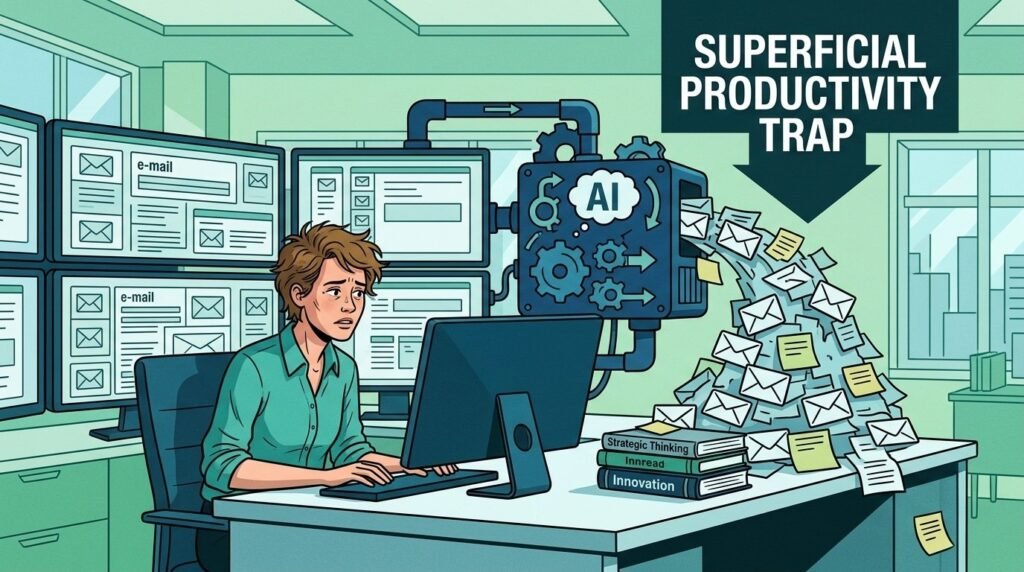
Task Automation with AI to Free the Mind
Do you spend hours every day sorting your emails, scheduling appointments, or organizing repetitive files that overload your mental load?
This article on AI task automation explains how to delegate these chores to intelligent tools to transform your workflow. You will discover practical methods and efficient workflows to free up your attention and finally focus on your high-value tasks.

Identifying Automatable Tasks
Before getting started, it is essential to know what to automate. Not all processes lend themselves to automation. The best candidates are repetitive, time-consuming, and based on clear rules.
Email and Communication
Message management is one of the main sources of attention fragmentation. The goal here is to turn your inbox from a passive solicitation hub into a system sorted and pre-digested by AI.
- Intelligent sorting: Stop handling your emails in order of arrival, and instead process them by order of importance. AI analyzes the content and tone to separate real urgencies from background noise.
- Summarization and enhanced replies: ChatGPT and tools like Gmail Smart Reply no longer just suggest words; they draft complete responses based on your habits, saving you from starting from scratch with every message.
- Autonomous follow-up: Set up agents that monitor replies from your prospects or colleagues. If no action is detected, AI follows up gently, freeing your working memory from this exhausting monitoring task.
Recommended tools: Gmail Smart Reply, Outlook Rules, ChatGPT (via API or dedicated interface), and autonomous messaging agents.
Scheduling and Appointments
Setting up a meeting is often a mental combat sport: endless back-and-forth emails, cross-checking calendars, and manual follow-ups. Every exchange is a micro-interruption that fragments your focus. Automation turns this chaos into a completely invisible process.
- Autonomous arbitration: Tools like Calendly or Microsoft Bookings detect your available slots according to your own rules (breaks, focus zones, priorities). You no longer “look for” a date: you offer availability validated by your system.
- Intelligent synchronization: AI handles the reconciliation of your multiple calendars (work, personal, volunteer) to avoid schedule conflicts without you having to intervene.
- Automated logistics: From sending the invitation to sending a reminder 24 hours before the event, AI secures each stage of the appointment to avoid oversights.
BrainTech.life’s advice: By automating your logistics, you regain complete control over your schedule with no conscious effort. You thus save your decision-making energy for your strategic missions.
File and Document Management
Manual filing and reading dense reports are “time thieves” that saturate your working memory. The goal of automation here is to turn your passive data stock into a structured, immediately usable flow of information.
- Summarization and cognitive analysis: AI makes it possible to extract the essentials from a complex report or a long document in a few seconds. This ultra-fast processing illustrates how technology is redefining professional roles by enabling informed decisions without exhausting yourself in massive volumes of data.
- Dynamic filing: Gone are the days of file chaos waiting to be sorted. The sorting and archiving of your documents into the right folders become fully automated. Your document structure stays clean and consistent with no manual intervention.
- Total interoperability: By using orchestration tools or simple scripts, you can convert file formats or extract key data (such as invoice amounts) instantly. Data finally flows smoothly between all your usual work software, eliminating repetitive and tedious handling.
Recommended tools: Zapier, Make (formerly Integromat), Notion AI for summarization, and integrated OCR (Optical Character Recognition) solutions.
Marketing and Content
Content creation and managing your digital presence are extremely energy-intensive activities in terms of “creative energy.” Automation here does not replace your vision; it removes the friction between the idea and its distribution.
- Content engineering: Use generative AI to instantly turn a long report into a series of drafts for your articles, newsletters, or video scripts. By delegating the “first draft” stage, you avoid writer’s block and keep your mental clarity for editing and strategy.
- Multichannel summarization: AI can summarize your long-form content and adapt it to the conventions of each platform. A single webinar can thus be automatically repurposed into a dozen relevant social posts, maximizing your impact without multiplying your effort.
- Scheduled distribution: Automatic scheduling of your posts ensures a constant presence without you having to log in manually every day. This breaks the cycle of interruptions tied to social media management.
Recommended tools: Buffer or Hootsuite for scheduling, ChatGPT, Jasper or Notion AI for generating outlines and summaries.

Choosing the Right Automation Tool
There are countless solutions for automating your tasks, but the choice of tool depends on your needs and your environment.
To avoid turning your quest for efficiency into a new headache, your tool choice should be based on three fundamental criteria:
- Compatibility: The tool must integrate natively with your current ecosystem (CRM, messaging, project management). Automation that requires intermediate manual input loses all its value: data must flow without friction.
- Ease of use: Choose intuitive No-Code interfaces. The ability to create, test, and refine your workflows without mastering programming is a major driver of autonomy. If the tool is too complex, it will become a mental burden rather than an engine.
- Cost: Anticipate the growing scale of your needs. While many platforms offer free versions to get started, analyze the cost per operation as your workflows become more complex to ensure the profitability of your time/money investment.
Choosing Your Strategy: Interoperability or Native AI?
There are two radically different ways to automate your day-to-day work. The choice will depend on your need for customization or your search for immediate simplicity.
Total interoperability: Build an infrastructure that works for you
Imagine that your software (Gmail, Slack, Notion) are isolated islands that do not communicate with each other. Orchestration platforms like Zapier or Make act as “bridge builders”.
- The principle: You create tailor-made scenarios (e.g., If I receive an attachment in Gmail, then save it to Drive and create a task in my CRM).
- The advantage: It’s fully custom. You assemble your processes visually, block by block, without writing a single line of code. The initial time investment is quickly repaid by the fluidity of your ecosystem.
“Plug-and-Play” AI: The power of integrated solutions (Microsoft Copilot, Notion AI)
By contrast, native AI does not aim to connect tools: it is built directly into the ones you already use.
- The principle: The intelligence is an internal option in your software. It activates in one click to summarize a Word document, analyze an Excel spreadsheet, or draft a Notion page.
- The advantage: It’s absolute simplicity. There is no complex external configuration. It’s the ideal tool to boost your immediate productivity without changing your work habits.
The rise of autonomous agents: Your new collaborators
We are taking a new step with agents capable of managing complex workflows in complete autonomy:
- Management agents (e.g., Notion): They intelligently route tasks and generate activity reports without manual effort.
- Q&A agents: They leverage your internal knowledge base to answer your specific questions instantly.
Their main strengths: Decision-making autonomy, real-time analysis, and 24/7 availability. Such a software structure strengthens your organization and finally frees up the mental space needed for your creative projects.
Building an Effective Automated Workflow
Creating an AI workflow means thinking through the process as a whole: from the trigger to the final action. For automation to be a source of peace of mind rather than a source of bugs, your approach must be surgical.
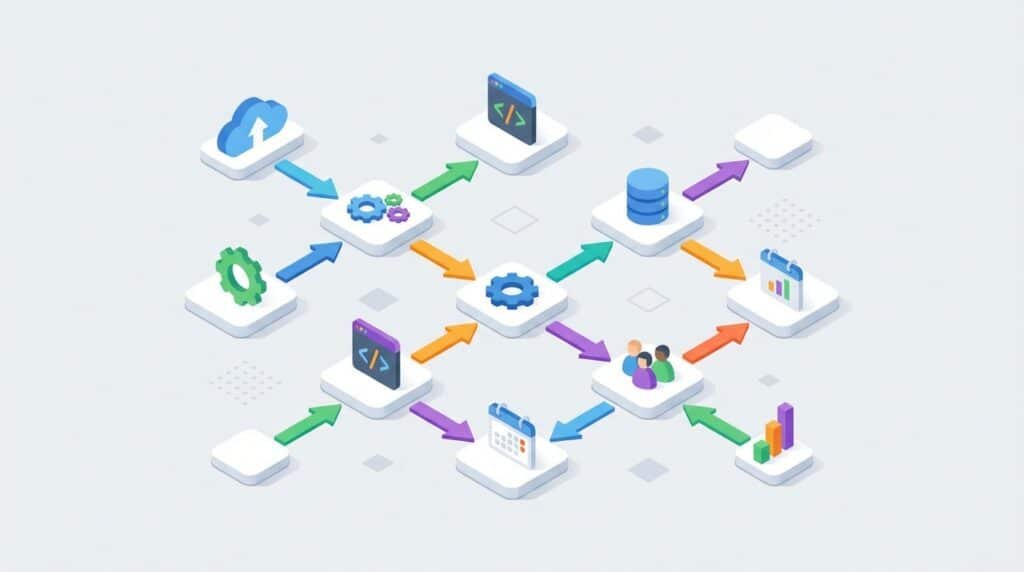
Map the Process Architecture
Before touching any tool, you need to draw the path. Identify the repetitive steps and, above all, note the critical decision points where human intervention remains essential (the “Human-in-the-loop”). Define precisely the nature of the input data and the expected final output.
Define the Triggers and Actions
The heart of an automation relies on binary logic: If this happens, then do that.
Concrete example: Trigger: Receipt of an email containing the keyword “Invoice”.
- Action 1 (AI) : Automatic extraction of the amount and due date.
- Action 2 (Flow) : Creation of a task in your project management tool (Trello/Notion).
- Action 3 (Alert) : Notification of the accounting team on Slack for validation.
Iteration and Reliability (Test & Learn)
Don’t aim for an overengineered machine right away. Start with a minimalist workflow, test it on real cases, and adjust it before making it more complex. Carefully monitor exceptions (format errors, missing data) to ensure the total reliability of your system.
Security and Human Oversight
Automation should never come at the expense of confidentiality. Check that your workflows comply with GDPR standards and the handling of sensitive data. Maintain regular human oversight to correct possible AI “hallucinations” or critical logic errors.
Peaceful Deployment: 4 Principles for Automating Without Mental Overload
Installing tools is one step, but sustaining your system requires rigor. To turn the effort into lasting peace of mind, adopt these best practices:
- The “Quick Win” strategy : Don’t try to automate your entire business in one week. Start with low-risk repetitive micro-tasks (email sorting, file renaming). A quick success strengthens your confidence and validates the logic of your workflows before moving on to critical processes.
- The Human-in-the-Loop (Supervision) : Automation is not a surrender of intelligence. AI is an assistant, not a replacement. Always keep a human review right over final outputs, especially for client communication or financial data, in order to correct possible hallucinations or logic errors.
- The documented mapping : An invisible workflow is an unmanageable workflow. Document your automations (steps, triggers, access). This “technical memory” is essential to maintain your system, evolve it, or hand it over to a colleague without friction.
- Analyzing cognitive ROI : Don’t automate just for the sake of it. Measure the real gains : time saved, reduction in error rate, and above all, a lower stress level. If a workflow becomes too complex to maintain, simplify it. The tool should serve your attention, not the other way around.

FAQ: The Essentials of AI and Automation
Which simple tasks should you start with?
Start with your daily chores: sorting your emails, generating drafts via ChatGPT, or scheduling your appointments (Calendly). These micro-delegations instantly free up a significant part of your mental load.
What is an AI agent (such as Notion)?
It is an autonomous collaborator capable of carrying out multi-step tasks. It can route tasks, synthesize reports, or answer your questions based exclusively on your own knowledge base.
How can I ensure the security of my data?
Use only solutions compliant with the GDPR. Set up failure alerts and maintain systematic human oversight: your judgment remains the best safeguard against errors or AI hallucinations.
Does automation really reduce decision fatigue?
Absolutely. By entrusting minor choices to reliable systems, you preserve your cognitive energy for strategic decisions. It is the ultimate lever for regaining mental clarity and deep focus.
Conclusion: Regaining Control of Your Attention
Automating tasks with AI is not just about saving time; it is a strategy for preserving your mental capital. By delegating your time-consuming chores to smooth processes, you break the cycle of interruptions and finally free up your focus for high-value strategic tasks.
Your immediate action plan:
- Identify today two simple processes to automate (email sorting or appointment booking).
- Test your first workflows in “experimental” mode.
- Gradually increase the complexity of your arsenal as your gains in peace of mind grow.
Do not let logistics fragment your mind any longer.
Master your productivity through intelligent delegation before overload becomes an obstacle to your success.